
Speaker Box Designer1.2 - Google Play
You'll be able to see results in few seconds.
Publisher Description
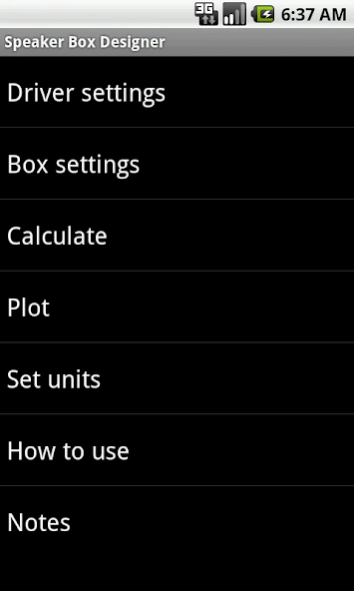
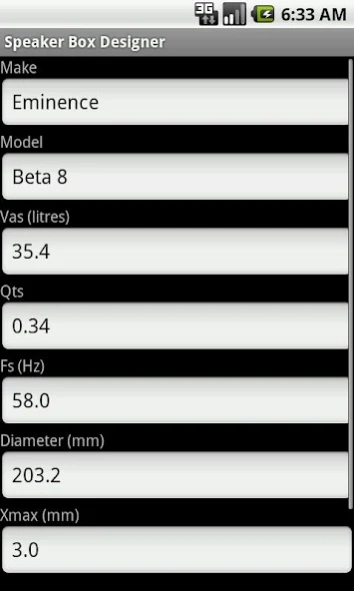
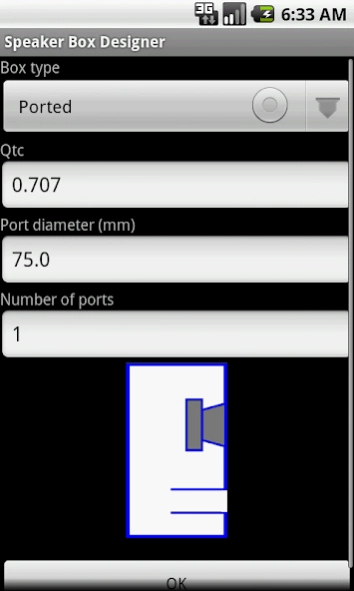
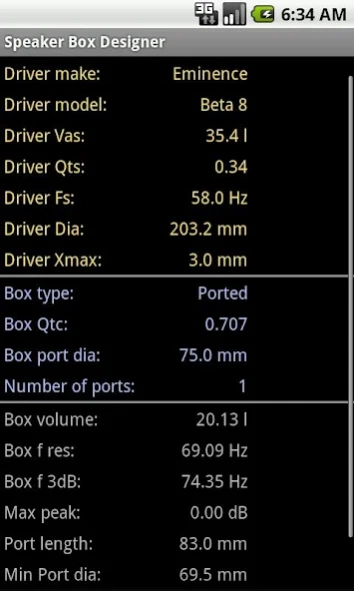
This app will size the loudspeaker box/port and plot the frequency response.
Speaker Box Designer is the app for designing the boxes for your loudspeaker drivers. The app will size the box (calculate the box volume to match your driver), calculate the port length (if you want one) and will also plot the frequency response of the finished design.
You can design Closed (Sealed), Ported or 4th Order Bandpass enclosure designs. The sealed design is the simplest to construct, the ported design gives an improved bass response and the 4th Order Bandpass design is great for sub-woofers.
To use the app, enter the details about your driver and the type of box you would like to use. The details about the driver (the Thiele-Small Parameters) can be obtained from the driver’s data sheet, the supplier’s catalogue or from the internet. If you select a Ported or 4th Order Bandpass design, you can also set the port diameter. The app will then calculate the box size for you and you can plot its frequency response.
The app works with both metric and imperial (English) units.
I have been asked by a number of people why the app doesn't calculate the box dimensions from the calculated volume. The reason is that there isn't just one possible solution - in theory you could have any shape box you like. However, to be helpful, I do recommend that your box has the 'Golden Mean Rectangle' proportions of 0.618:1:1.618 as these are considered by many to be the optimum shape for the acoustics (a cube is certainly the worst shape acoustically). You can calculate the INTERNAL box dimensions with the following formulae:
First find the cube root of the desired box volume, we will call this r3V
For Box Volume in cubic inches:
L = r3v * 1.618 (answer is in inches)
W = r3v * 1.0 (answer is in inches)
H = r3v * 0.618 (answer is in inches)
For Box Volume in l:
L = r3v * 0.1618 (answer is in m)
W = r3v * 0.1 (answer is in m)
H = r3v * 0.0618 (answer is in m)
________________________________
If you have a small screen, you may need to scroll down the page to see the calculation results. This program performs a number of calculations including Box Volume, Box Resonant Frequency, Minimum Port diameter and Port Length - these can be seen in the fourth screen shot. Be sure to enter your data correctly, as if you make mistakes, you might incorrectly think that part of the app (such as the ported calculation) is not working correctly.
If you have any problems it is much more productive to email me before leaving a negative comment, as then I can do someting to fix the problem.
About Speaker Box Designer
The company that develops Speaker Box Designer is IamDrNelly. The latest version released by its developer is 1.2.
To install Speaker Box Designer on your Android device, just click the green Continue To App button above to start the installation process. The app is listed on our website since 2013-04-04 and was downloaded 0 times. We have already checked if the download link is safe, however for your own protection we recommend that you scan the downloaded app with your antivirus. Your antivirus may detect the Speaker Box Designer as malware as malware if the download link to drnelly.speaker is broken.
How to install Speaker Box Designer on your Android device:
- Click on the Continue To App button on our website. This will redirect you to Google Play.
- Once the Speaker Box Designer is shown in the Google Play listing of your Android device, you can start its download and installation. Tap on the Install button located below the search bar and to the right of the app icon.
- A pop-up window with the permissions required by Speaker Box Designer will be shown. Click on Accept to continue the process.
- Speaker Box Designer will be downloaded onto your device, displaying a progress. Once the download completes, the installation will start and you'll get a notification after the installation is finished.
Program Details
System requirements
Download information
Pricing
Version History
version 1.2
posted on 2013-04-05
V1.2 Added the option of using inches and cubic inches as well as metric units.
V1.1: Minor bug fix to correct display of Driver Dia and Xmax in the Calculate screen.
V1.0: This is the first version of this app. User feedback will be considered for future updates. If you don't leave any comments, I can't act on them.
Disclaimer
Official Google Play Link
We do not host Speaker Box Designer on our servers. We did not scan it for viruses, adware, spyware or other type of malware. This app is hosted by Google and passed their terms and conditions to be listed there. We recommend caution when installing it.
The Google Play link for Speaker Box Designer is provided to you by apps112.com without any warranties, representations or guarantees of any kind, so access it at your own risk.
If you have questions regarding this particular app contact the publisher directly. For questions about the functionalities of apps112.com contact us.
